Are you happy with your logging solution? Would you help us out by taking a 30-second survey? Click here

Statistics on logster
| Number of watchers on Github | 222 |
| Number of open issues | 6 |
| Average time to close an issue | 5 months |
| Main language | Ruby |
| Average time to merge a PR | 2 days |
| Open pull requests | 1+ |
| Closed pull requests | 4+ |
| Last commit | over 1 year ago |
| Repo Created | over 5 years ago |
| Repo Last Updated | over 1 year ago |
| Size | 5.86 MB |
| Organization / Author | discourse |
| Contributors | 14 |
| Page Updated | 2018-03-19 |
| Do you use logster? Leave a review! | |
| View open issues (6) | |
| View logster activity | |
| View on github | |
| Fresh, new opensource launches 🚀🚀🚀 | |
|
Trendy new open source projects in your inbox!
View examples
|
|

Logster is an embedded Ruby exception reporting service
admins can view on live websites, at http://example.com/logs
Interface
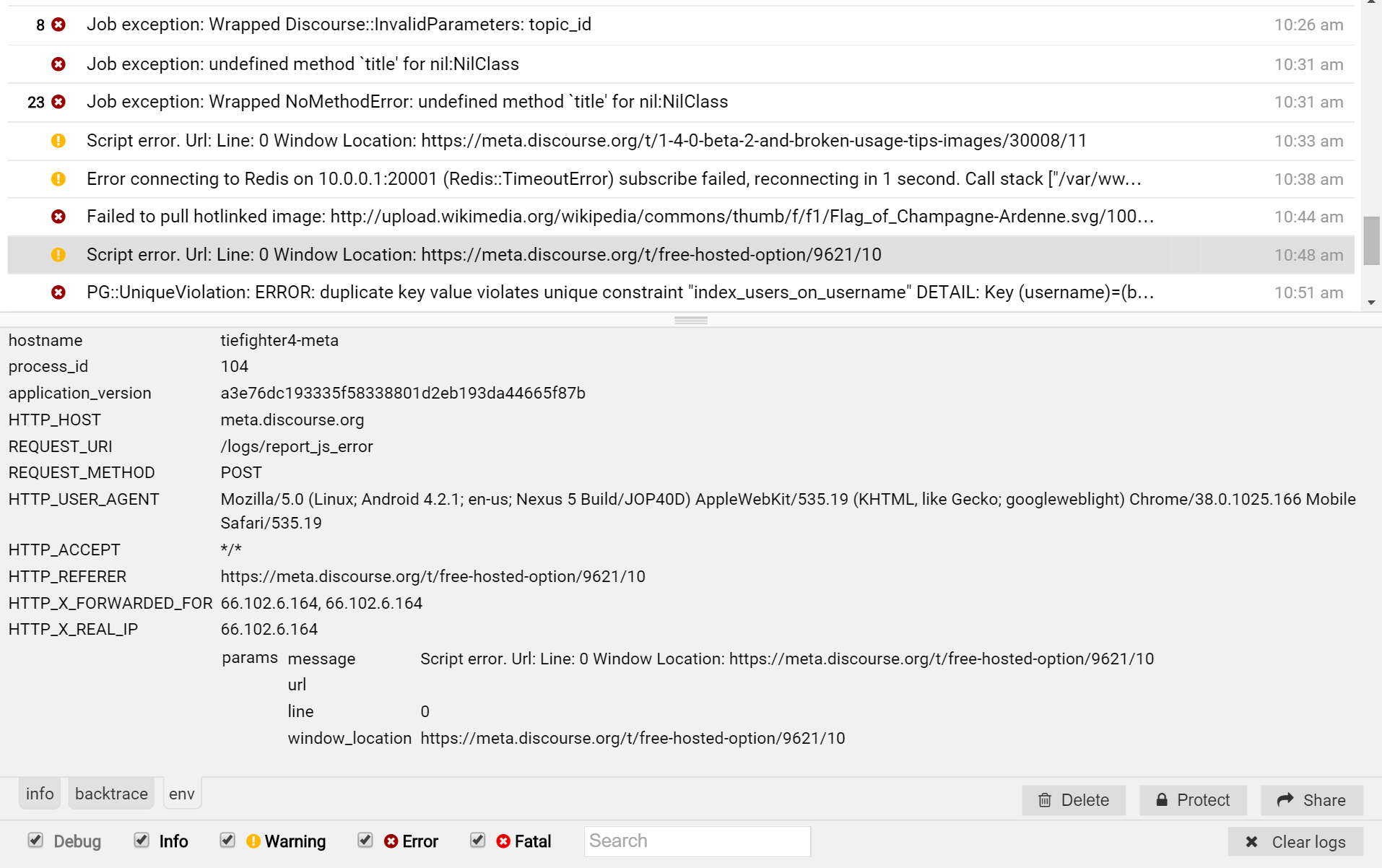
Play with a live demo at logster.info/logs.
Installation
Add these lines to your application's Gemfile:
gem 'redis'
gem 'logster'
And then execute:
$ bundle
Make logster web available add the following to your routes.rb:
constraints lambda { |req| req.session["admin"] } do
  mount Logster::Web => "/logs"
end
By default, logster will only run in development and production environments.
To run logster in other environments, in config/application.rb
Logster.set_environments([:development, :staging, :production])
Tracking Error Rate
Logster allows you to register a callback when the rate of errors has exceeded a given limit.
Tracking buckets available are one minute and an hour.
Example:
Logster.register_rate_limit_per_minute(Logger::WARN, 60) do |rate|
  puts "O no! The error rate is now #{rate} errors/min"
end

Logster.register_rate_limit_per_hour([Logger::WARN, Logger::ERROR, Logger::FATAL], 60) do |rate|
  puts "O no! The error rate is now #{rate} errors/hour"
end
Note
If you are seeing the error No such middleware to insert before: ActionDispatch::DebugExceptions after installing logster,
then you are using a conflicting gem like better_errors or web-console.
To avoid this error, make sure logster is added behind those conflicting gems in your Gemfile.
Mount using warden (devise)
  admin_constraint = lambda do |request|
    request.env['warden'].authenticate? and request.env['warden'].user.admin?
  end

  constraints admin_constraint do
    mount Logster::Web, at: "/logs"
  end
Out of the box, logster will use the default redis connection, to customise, in config/application.rb
Logster.store = Logster::RedisStore.new(redis_connection)
Heroku Deployment
In case you may be using the rails_12factor gem in a production deployment on Heroku, the standard Rails.logger will not cooperate properly with Logster. Extend Rails.logger in your config/application.rb or config/initializers/logster.rb with:
if Rails.env.production?
    Rails.logger.extend(ActiveSupport::Logger.broadcast(Logster.logger))
end
Thanks
Logster UI is built using Ember.js
Contributing
- Fork it ( https://github.com/discourse/logster/fork )
- Create your feature branch (
git checkout -b my-new-feature) - Commit your changes (
git commit -am 'Add some feature') - Push to the branch (
git push origin my-new-feature) - Create a new Pull Request
- almost 3 years stack level too deep (SystemStackError)
- about 3 years Multiple NoMethodErrors in Rails 5 with quiet assets
- over 3 years Specify key namespace in Redis connection
- over 3 years Unable to use Logster with https://github.com/lulalala/multi_logger
- over 3 years Unable to set environments in application.rb
- about 4 years logster only works on /logs path
- added example to configure Redis key namespace
- How to add a custom parser to logster?